
Every change, as one list
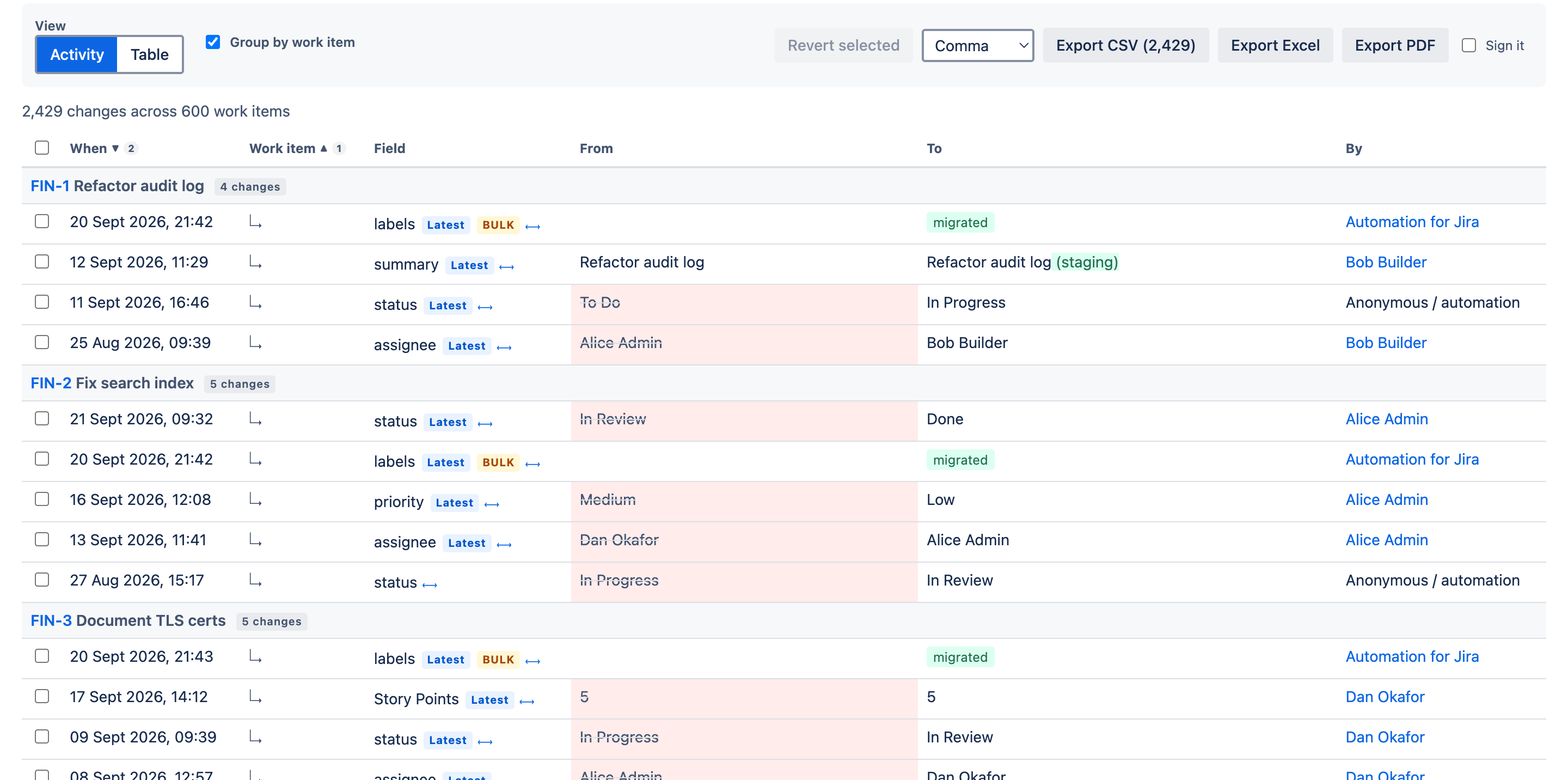
Every change to Status, Assignee and Priority, across all your projects, in the last 30 days, with who made each one.
Start the stopwatch

From: Head of Delivery · Mon 09:05 Subject: Quick question about Jira
Five questions this morning, and the honest answer to each is "I'll look into it."
To: Head of Delivery · Mon 09:07 Subject: Re: Quick question about Jira
All five answered. Before the meeting.
Every change, every project, on one screen. And if one was a mistake, one click puts it back.
For years you've been told Jira has an audit trail. It does. You just can't read it. Jira hands you a perfect record one work item at a time, and the day someone asks a real question, a perfect record turns into a very long afternoon.
You want to never again say four words in a meeting: "I'll look into it." They cost you an afternoon, sometimes a week, and a little credibility every time.
What you want is a different Monday morning. The question gets asked, and you answer it in the meeting it was asked in.

Jira is superb at recording work. It was never built to answer questions about the record. But you're the one they ask.
The three-question test
Try them on your own Jira. All three inside five minutes? Stop reading: you're already the one who knows. If not, the rest of this page is about closing that gap.
Every change to Status, Assignee and Priority, across all your projects, in the last 30 days, with who made each one.
Of last week’s changes, which were people and which were an automation rule or a bulk edit?
If your most important epic were deleted in the next hour, with its subtasks, what could you restore? Which fields? In what status?
Where the answers live today
Each of these is good at the job it was built for. Watch what each one tells you about the same forty priority changes.
What UndoTrail answers
Every change, on every work item, across every project. Nothing to switch on, and the app never sends your data outside Atlassian.
Who, what, from what, to what, and when, across every project on one screen. Filter without JQL, or on a transition like In Progress to Done.
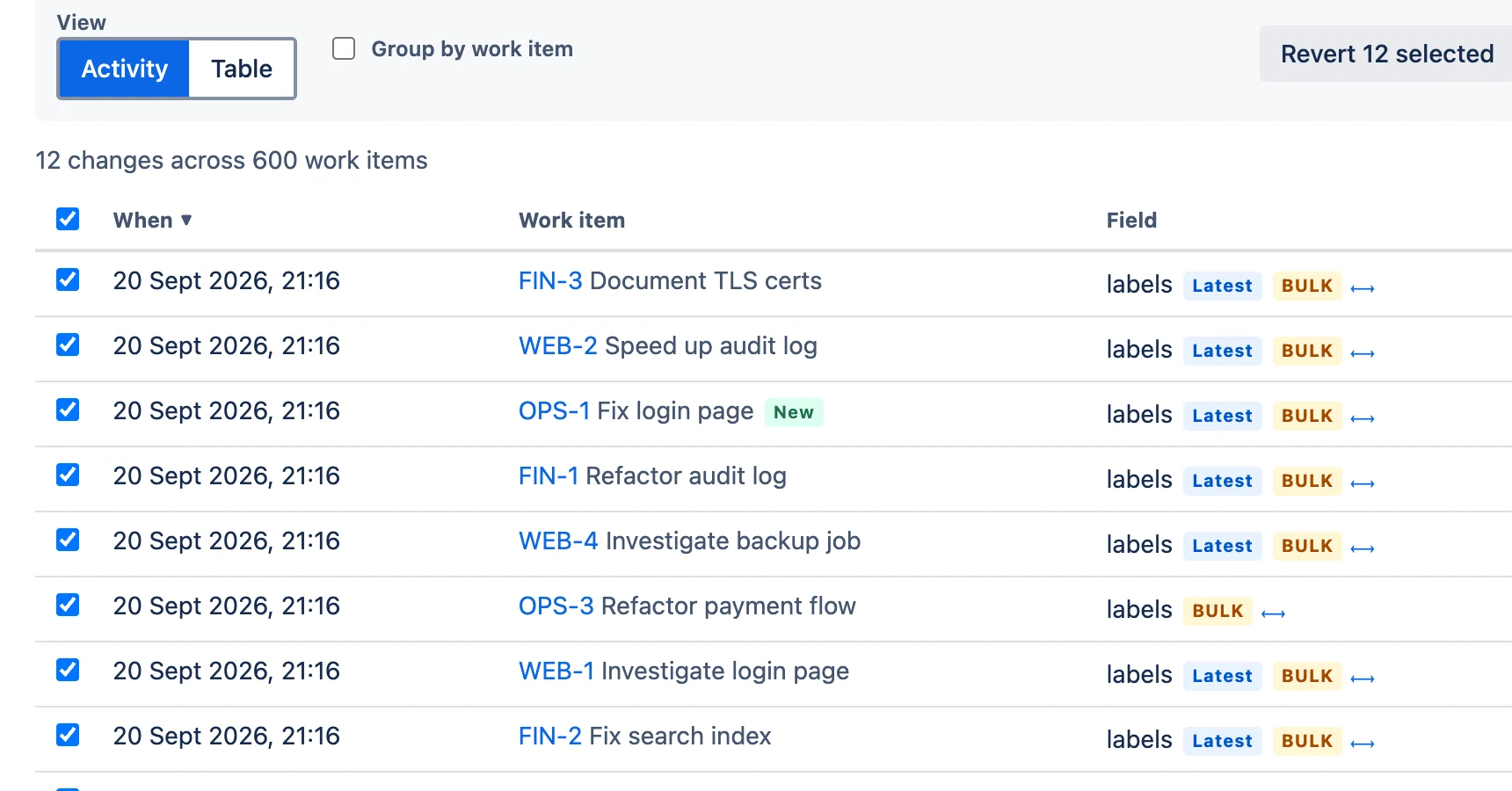
Undo one change or ten thousand. A dry run first, and a check that never overwrites a colleague’s later edit.
Deleted items land in a bin with who and when, and come back whole: custom fields, subtasks, comments and status.
Excel, CSV or PDF, up to 150,000 changes in one report, signed with a SHA-256 hash so anyone can prove it is untouched.
55 detectors for keys, tokens, card numbers and personal data, across current and historical values.
Jira keeps no record of an edited comment’s old text. UndoTrail keeps every version, with who changed it and when.
"I never saw that ticket." Check instead of asking round the office. Viewer history records from install.
Time in each status, added up. Take a number to the retro instead of a hunch, as far back as Jira’s record goes.
When an automation rule rewrites six hundred work items at 2am, Jira has no undo button. We built one.
Undo the bad night
See exactly what will be written, then press go. Nothing is written without a preview.
| Item | Field | Now | Goes back to |
|---|---|---|---|
| PAY-1042 | Priority | Low | High |
| PAY-1038 | Priority | Low | High |
| PAY-1031 | Priority | Low | Medium |
| OPS-311 | Priority | Low | Highest |
| … and 596 more | |||
| Item | Field | Result |
|---|---|---|
| PAY-1042 | Priority | Written |
| PAY-1038 | Priority | Skipped: Tom Reid changed it at 08:12 |
| PAY-1031 | Priority | Written |
| OPS-311 | Priority | Skipped: Priya Shah changed it at 08:40 |
| Outcome | Items |
|---|---|
| Written | 598 |
| Skipped, edited since | 2 |
| Failed | 0 |
Every change the rule made, and exactly what each field will go back to. You read it first, then you press go.
Get back what someone deleted
Capture is on from the minute you install. Nothing to switch on, no webhook to configure.
Drag to restore
PAY-1042 · Deleted by Sam Hale, 22 Sep 16:42
Client escalation: EU card payments failing at checkout
PAY-1042 · Restored by you, 22 Sep 16:45
Client escalation: EU card payments failing at checkout
Hand the auditor one file
Step 1 · Build
The report, in plain filtersPerson, field, sprint, saved filter or date range. Everything except this person is one click.
Step 2 · Export
Excel, CSV or PDFColour-coded before and after, every timestamp in UTC and local time, up to 150,000 changes in one file.
Step 3 · Sign
Proof it has not been touchedA SHA-256 hash, recorded with who signed it, why and when. Plus a settings sheet saying how it was built.
Step 4 · Schedule
Every month, without askingThe report arrives as an attachment on a work item you choose. The auditor stops having to ask.
Runs on Atlassian
"Does it send our data anywhere?" No, and it can’t. UndoTrail runs entirely on Atlassian’s own infrastructure, with no permission to send data outside it. Atlassian’s platform enforces that on every deployment: a technical fact, not a policy promise.
Answers without leaving Jira
A History+ tab inside every work item, dashboard gadgets, share links that open the identical report, and a Rovo agent you can simply ask: “What changed on the PAY project yesterday?”
A recording of the report explorer goes here.
Covered three minutes from now
That's it. The next time someone asks what happened, you'll have the answer. And if it needs putting right, you can put it right.
From the Atlassian Marketplace. Capture is already on the moment it lands.
Pick a project, press Run. Every change, who made it, what it was before.
Press "Snapshot every work item" once, so even items nobody has touched since install are fully restorable.
One plan. Everything in it.
Free for up to 10 users. One published price above that, with every feature in it.
Bulk revert, the security scanner, the advanced reports: every one is a bad-day feature, and the bad day is exactly when you can't stop to upgrade. So the day you install is the day you're covered for all of it.
| Users | Per year | Per day |
|---|---|---|
| Up to 10 | Free | Free |
| 50 | $525 | about $1.44 |
| 100 | $1,050 | about $2.88 |
| 500 | $3,185 | about $8.73 |
| 1,000 | $4,935 | about $13.52 |
Do one sum with your own numbers: the day rate of whoever assembles your audit evidence, times the days it took last time. For most teams, UndoTrail costs less for the whole year than that one afternoon.
Restoring a work item needs a snapshot taken before it was deleted, and snapshots start the minute UndoTrail is installed. It's insurance, and like all insurance, it's bought before the accident.
Questions
No, and it can’t. It runs entirely on Atlassian’s own infrastructure and has no permission to send data outside Atlassian. The platform enforces that on every deployment.
Every report runs as the person who asked. If Jira wouldn’t show them a project, UndoTrail won’t either. Not one row more.
Install it and capture is on. There is no webhook to configure and nothing to host. Press "Snapshot every work item" once, and everything is restorable from that moment.
Yes. Every feature has its own switch. Reports, exports, revert, restore, the security scanner and viewer history can each be open to everyone, kept to Jira admins, or given to the Jira groups you choose. The scanner starts with admins only. Comment and viewer history can be switched off, or left out of projects such as HR or Legal.
Capture keeps running and nothing stored is deleted. Each work item’s own history stays free for ever, so a lapse never leaves a hole in your audit trail.
Free for up to 10 users, and one published price above that with every feature included. The table above has the common sizes.
A person who knows the product. Email help@astrospray.com; our target for a first reply is four business hours.
P.S. Go back to question three. If your honest answer was "nothing", that's the one to fix first, because it's the only one that gets worse every day you leave it.
Not ready yet? Forward this page to your security team with one line: "No egress, eleven scopes, runs as the user."